Dock badges,
in your menu bar.
Pick an app. Its unread badge shows up next to the clock, so you can hide the Dock and still know when something needs you.
Free and open source · Apple Silicon · macOS 13 or later
A preview. On your Mac, each item follows a real app's Dock badge.
That's the whole app.
No window to open, no Dock icon of its own. BadgeThing sits in the menu bar and keeps an eye on the Dock for you.
Add
Click + Badge in the menu bar and pick any app from your Applications folder.
Watch
BadgeThing reads the badge off the app's Dock tile a few times a second and mirrors it as a count or a dot.
Click
Left-click brings the app forward, like clicking its Dock icon. Right-click for the menu.
Everything you'd want. Nothing you wouldn't.
Badges only live in the Dock, and the Dock is the first thing most people hide. BadgeThing puts them where you're already looking.
Any app
Slack, Mail, Messages, Discord, Telegram, Calendar. If it puts a badge on its Dock icon, BadgeThing can show it.
Count or dot
Show the number, or just a dot when there is something new. Pick per app from the right-click menu.
Quiet when quiet
When an app has no badge its item dims instead of disappearing, so the menu bar never jumps around.
One item per app
Watch as many apps as you like. Each gets its own icon in the menu bar, with its own style.
Opens like the Dock
A click brings the app forward and reopens its window if you had closed it.
Launch at login
One toggle in the menu, using the system login-items API. Nothing hidden in your Library.
Remembers your list
Watched apps and their badge style survive restarts.
Light on your Mac
A few kilobytes of Swift, no window, no network, almost no CPU.
Open source
Plain AppKit, built with Swift Package Manager. Read the code, file an issue, or build it yourself.
Looks like it was always there.
A native status item with the app's own icon, and a standard macOS menu behind a right-click.
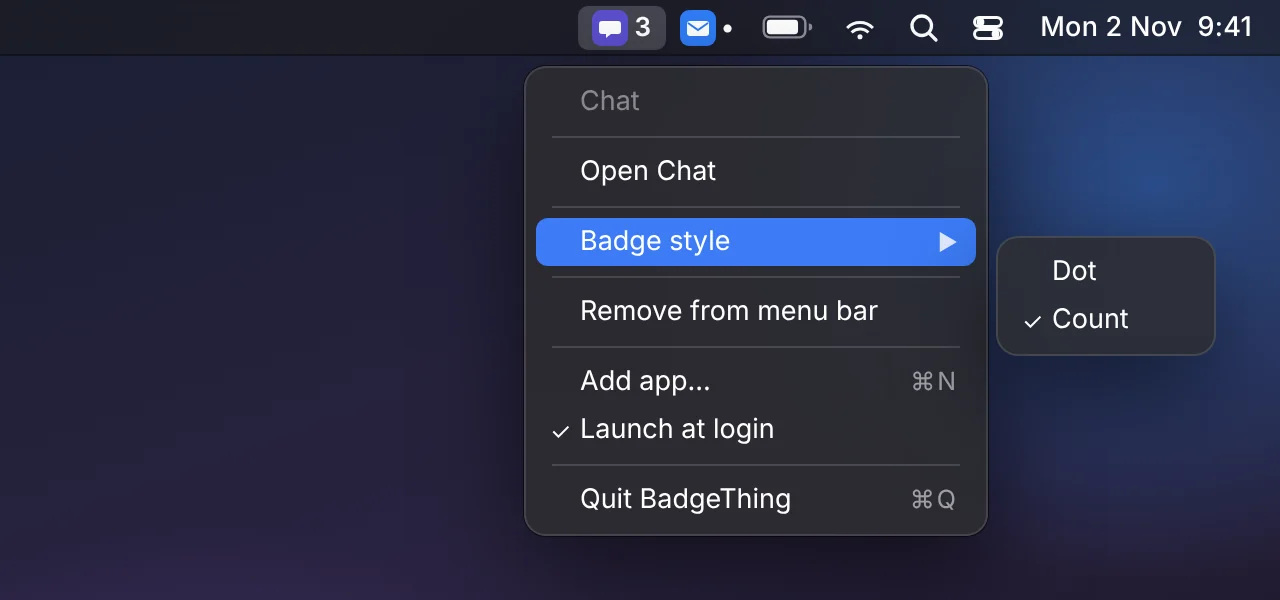
Right-click any item for its menu
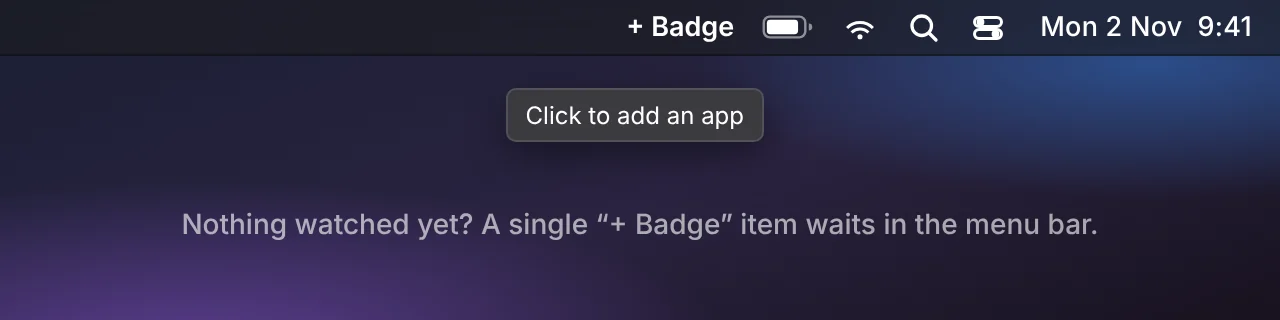
Before you add anything, a single + Badge item waits
It reads the Dock. Nothing else.
BadgeThing never touches the network. The only thing it looks at is the badge text on Dock tiles.
- No networkThere is no code in the app that makes a request. Nothing to send, nowhere to send it.
- Accessibility, for one reasonmacOS exposes Dock badges only through Accessibility. That is why it asks, and all it reads.
- Nothing stored but your listWhich apps you watch, and whether each shows a count or a dot. Kept in the app's own preferences.
- No account, no telemetryDownload it, run it, forget it is there.
Hide the Dock.
Download the DMG, drag BadgeThing into Applications, and allow Accessibility access when macOS asks. Then click + Badge and pick an app.
Requires macOS 13 or later on Apple Silicon.
If macOS says it can't verify the developer, open System Settings → Privacy & Security and click Open Anyway. An app has to be running, or kept in the Dock, to have a badge at all.
Prefer to build it yourself? Clone sgstq/badgething and run ./release.sh.